Billing that keeps up with a full house.
Take orders, send KOTs and print bills from one app, even when the internet drops.
Made for every kind of food business.
Restaurants
Floor plans, table service and split bills.
Cafés
Quick counter orders, token numbers and loyalty.
Cloud kitchens
Delivery orders, packing charges and station KOTs.
Bars
Running tabs on tables and a separate bar station.
One order, from table to bill.
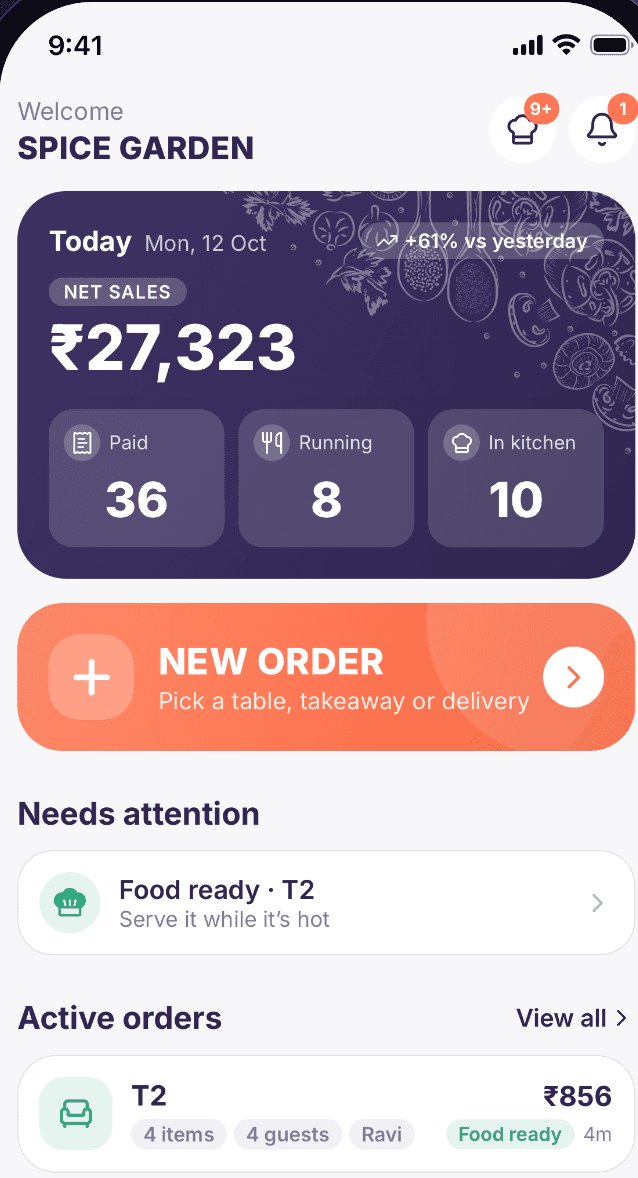
See every table at a glance
Free, cooking or ready to bill. Each table shows its status, guests and running total.
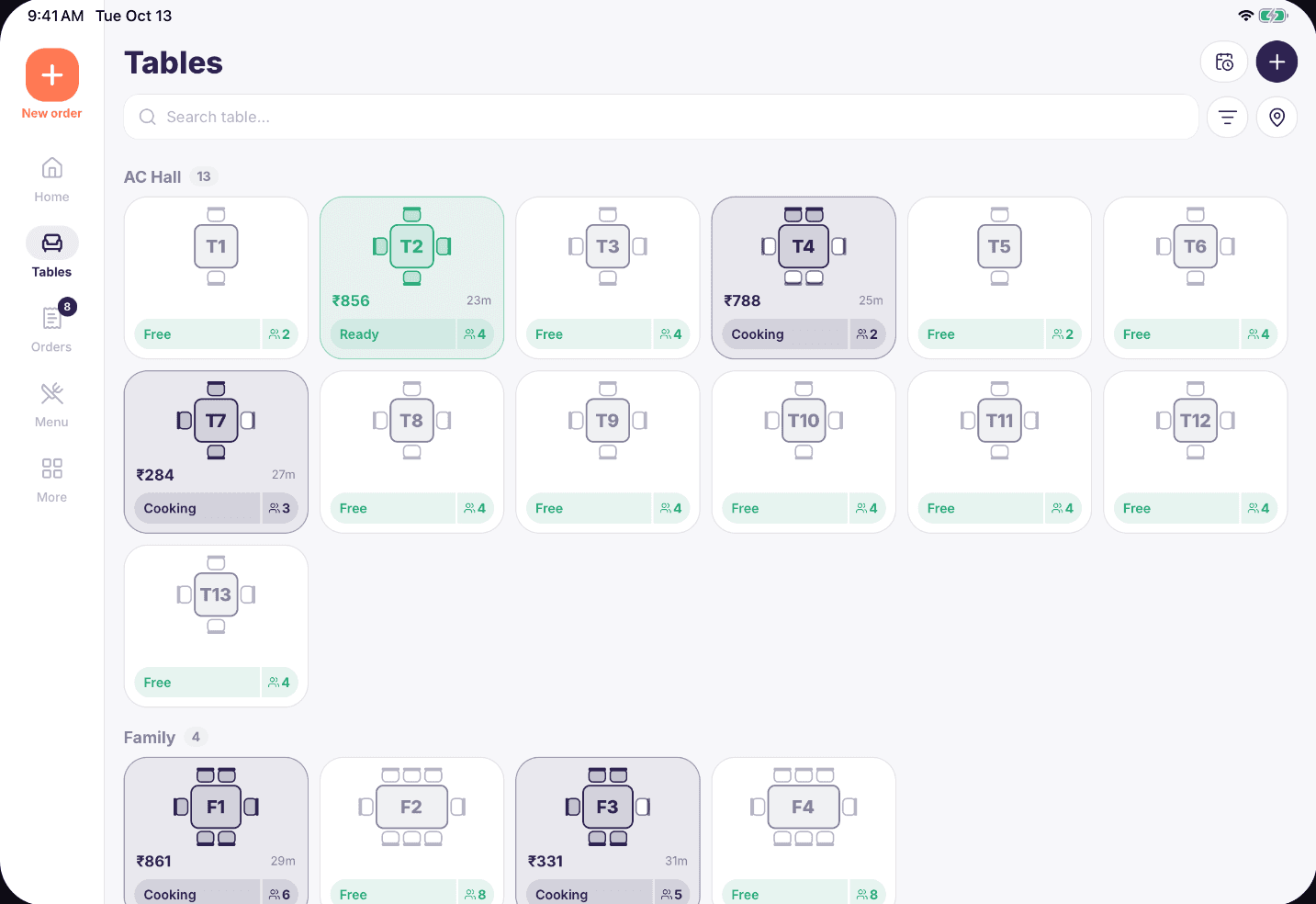
Take the order in seconds
Search by name or code. Add portions, add-ons and notes, with the bill always in view.
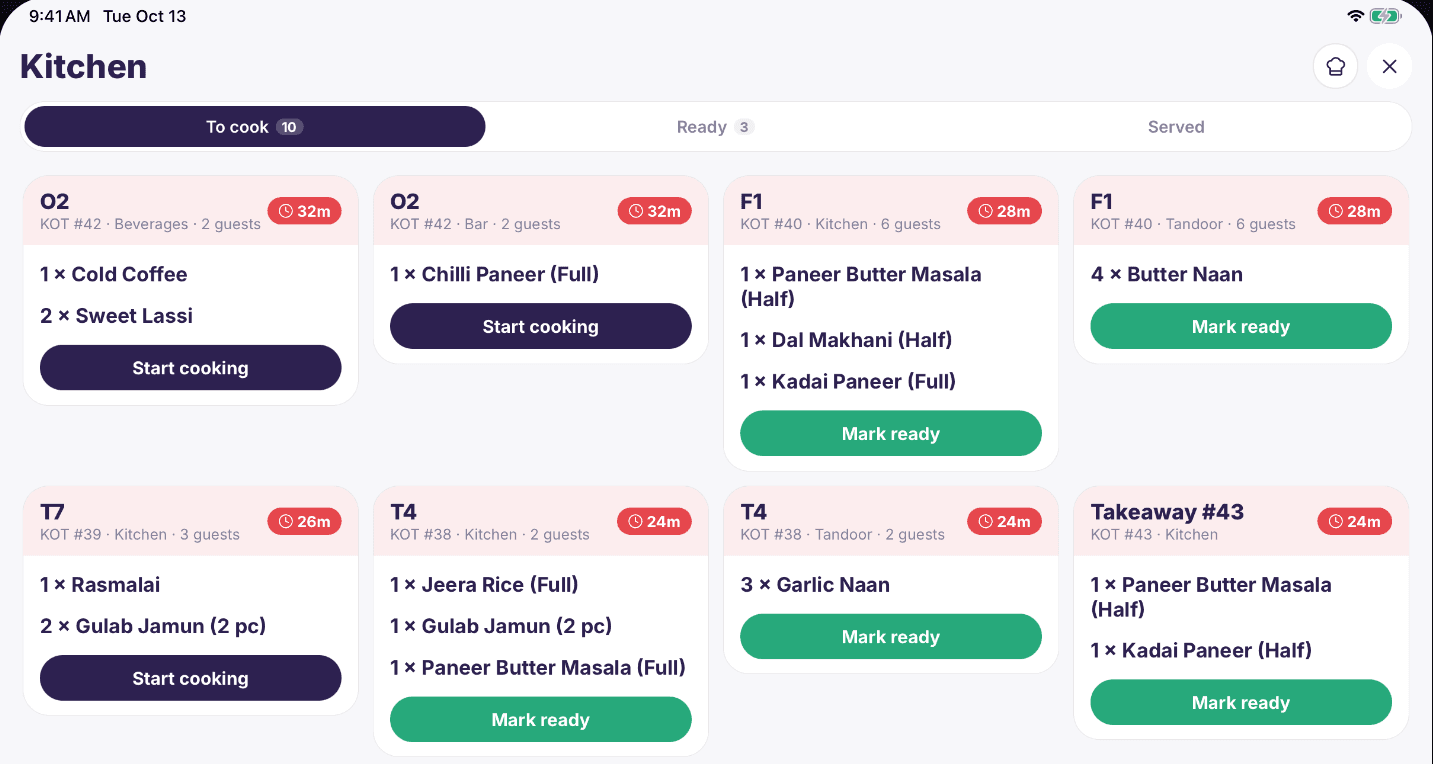
Send it to the kitchen
KOTs go to the right station. The kitchen marks each one ready, and the floor can see it.
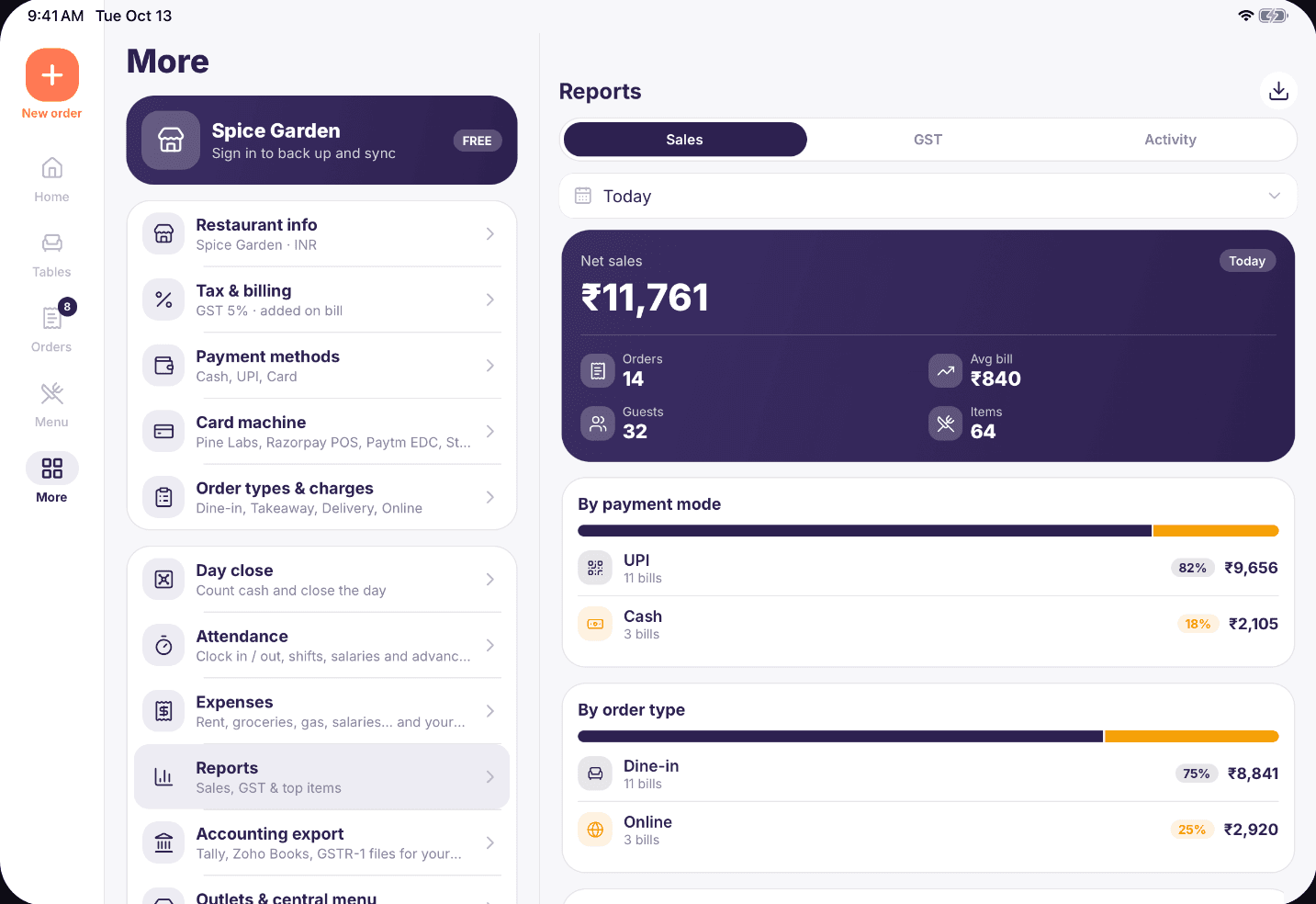
Close the day with real numbers
Sales, top items and payment modes, ready when you count the cash.
Built for the whole restaurant.
Your day on one screen
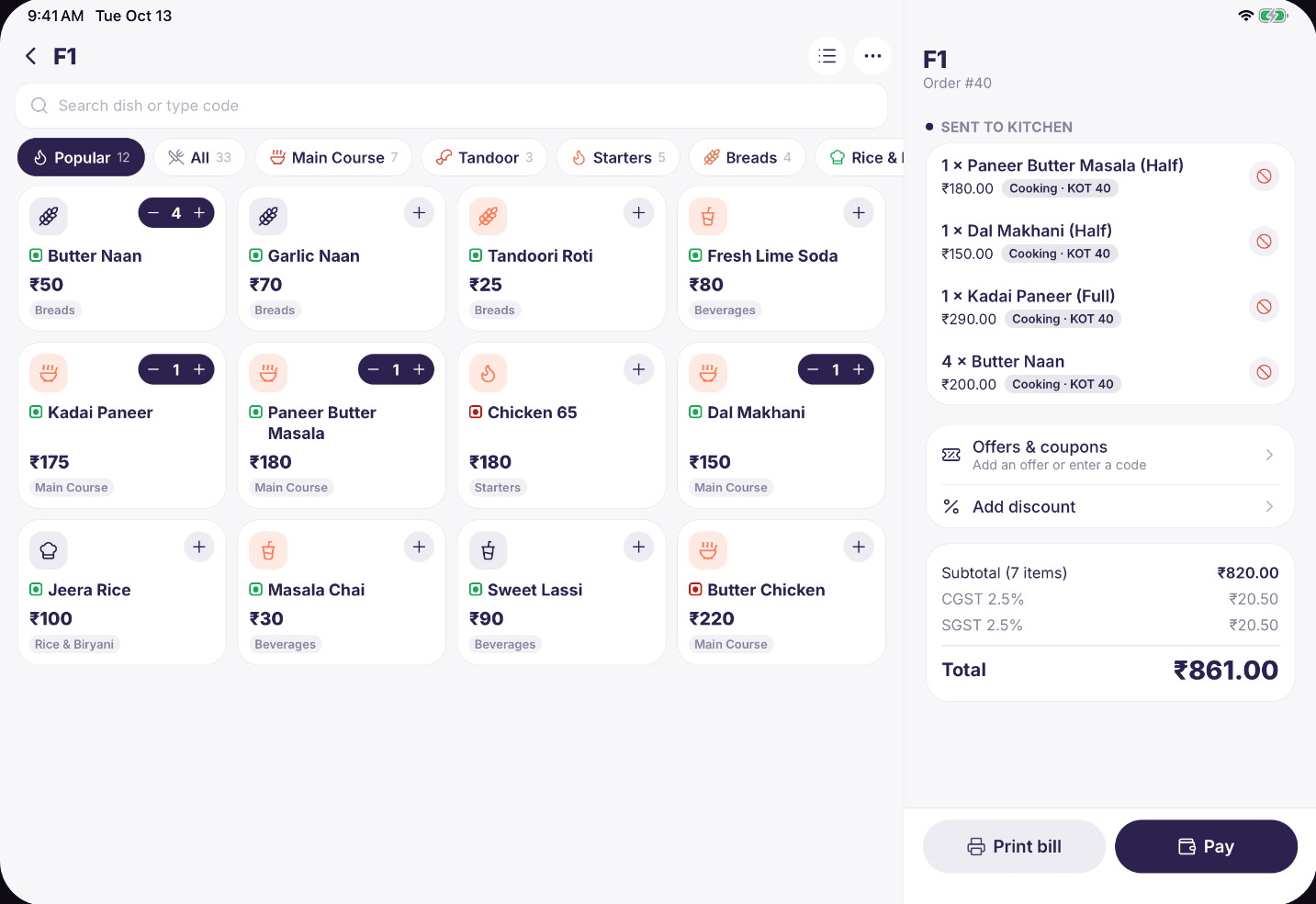
Sales, running orders and what needs attention.
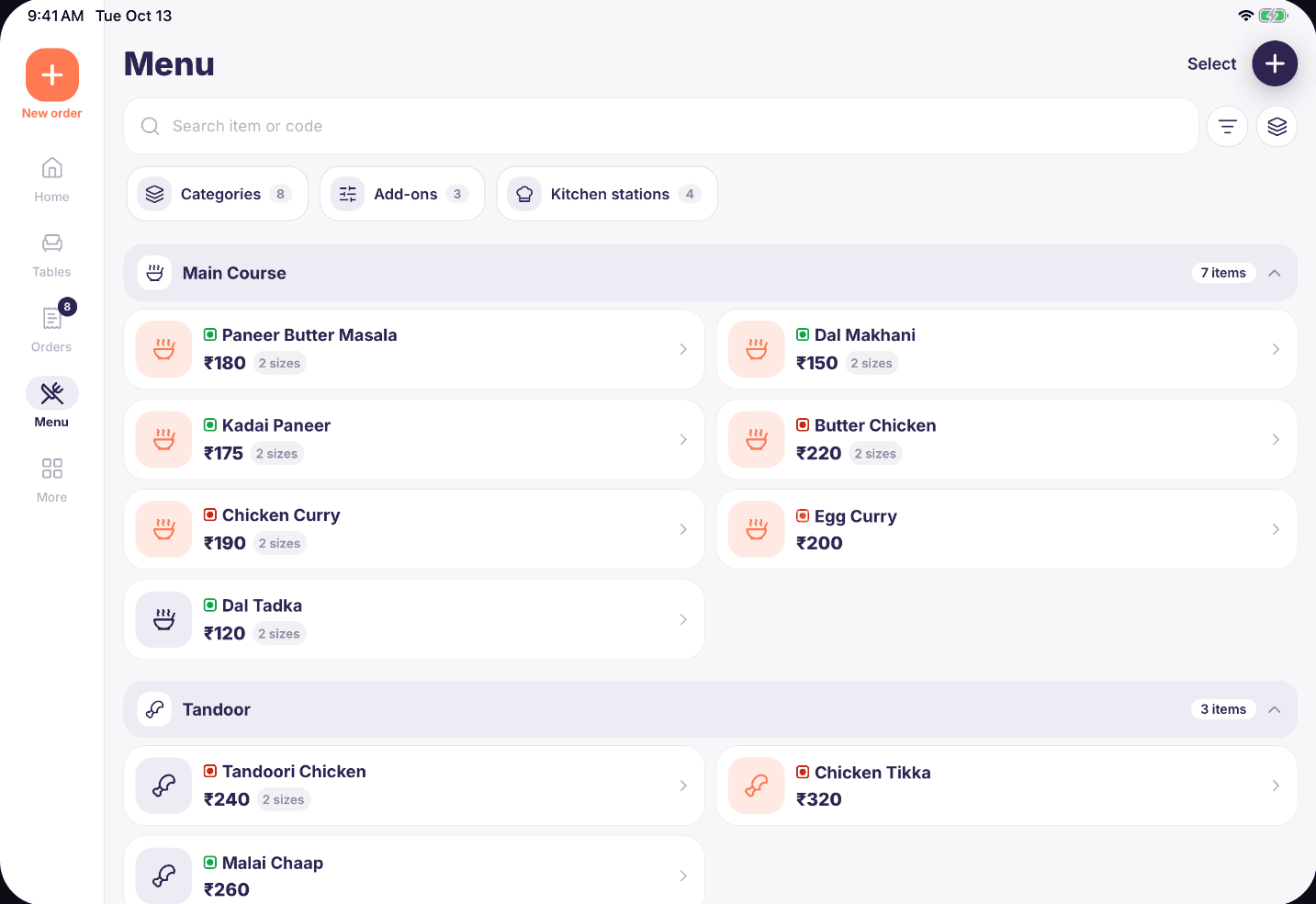
Keep the menu up to date
Categories, portions, add-ons and prices. Mark an item sold out in a tap.
In your staff’s language
QR table ordering
Guests scan, browse and order. It lands in your app.
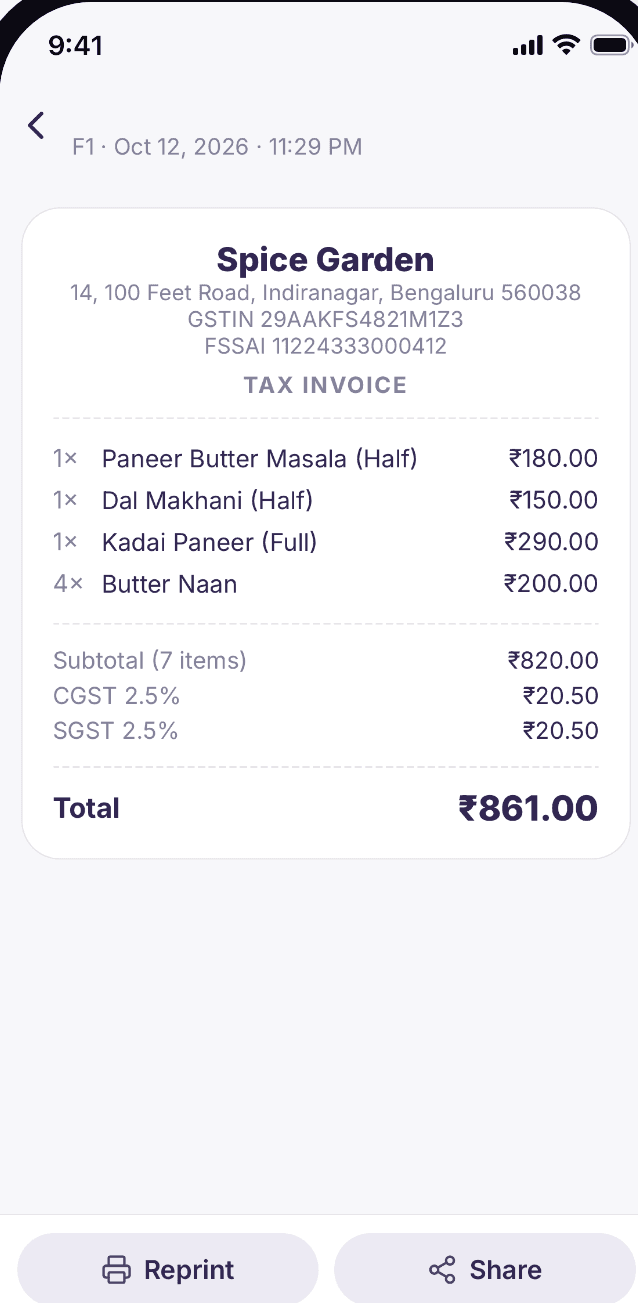
Bills guests can keep
Print it, or share it as a PDF on WhatsApp.
Stock, staff and more
Track stock, attendance, payroll, expenses, offers, loyalty and reservations in the same app.
Every part of service, in detail.
Take any kind of order
- Dine-in, takeaway and delivery
- Portions, add-ons and notes on every item
- Move and merge tables
- Search dishes by name or code
- Hold items and send them when you are ready
- Discounts and complimentary items
A better visit for your guests.
Fewer waits for the menu, the waiter and the bill.
Scan and order
Each table gets its own QR code. Orders reach your app for you to accept.
Call for service
Guests can call a waiter from their phone, and your team gets an alert.
A bill on their phone
Send a link on WhatsApp instead of printing paper.
Feedback that helps
Guests rate their visit from the bill. Happy guests are asked to review you on Google.
Turn any screen into part of the team.
See what you really earned.
- Profit and loss for today, this week or any month
- Food cost and prime cost percentages
- Which items earn you the most, and which earn too little
- Your best customers and what they spend
- A day-by-day view you can export as CSV
- Owner dashboard on your laptop, for every outlet
Run the back office here too.
Customers and khata
- Customer history and visits
- Credit bills and dues
- Loyalty points and offers
- One-tap WhatsApp and SMS offers
Stock
- Stock levels and purchases
- Low stock alerts
- Reorder lists
- Suppliers and dues
Staff
- Roles for each team member
- Attendance with photos
- Payroll and payslips
- Opening and closing checklists
Accounts
- Expenses by category
- Tally export
- Zoho Books export
- GSTR-1 ready sections
The Wi-Fi can drop. Billing won’t.
Fabillo keeps your orders on the device, so you never stop mid-rush.
On your device first
Orders save on the device, so nothing waits for a server.
Backed up
Automatic backups to iCloud or Google Drive on paid plans, plus a backup file you can keep.
Under your control
Staff roles, an app lock and an audit log of important changes.
Always yours
Export your sales and bills as CSV whenever you need them.
Set up before the next service.
1
Add your restaurant
Your name, country and tax settings. It takes about a minute.
2
Bring in your menu
Type items in, paste a list, or import a CSV file.
3
Connect a printer
Pair a Bluetooth or Wi-Fi thermal printer you already own.
4
Take your first order
Pick a table, add items, send the KOT and print the bill.
Start free. Pay when you grow.
Free
Bill, print and run a small counter.
₹0
- Orders, tables and KOTs
- Tax, UPI QR and bills
- Daily sales reports
- 2 printers and 2 staff
Starter
More tools for one busy outlet.
₹299/month
- Unlimited printers
- Cloud backup
- Split bills and bill designer
- Offers, loyalty, reservations
- Accounting and owner dashboard
Business
Your whole team on shared devices.
₹699/month
- Everything in Starter
- Sync across devices
- Kitchen and token displays
- QR table ordering
- Stock, staff roles and payroll
- Mac and Windows app
Enterprise
For more than one location.
₹1,499/month
- Everything in Business
- Multiple outlets
- Self-order kiosk
- Open API
Indian prices shown. Other countries are billed in local prices through the App Store and Google Play.
Questions owners ask.
Does Fabillo work without internet?
Yes. Orders, KOTs, printing and bills all work offline. Your data is on the device, and devices sync when you are back online on the Business plan.
Is there a free plan?
Yes. The Free plan covers orders, tables, KOTs and bills, with up to 2 printers and 2 staff. You can upgrade later without losing anything.
Which printers can I use?
58 mm and 80 mm ESC/POS thermal printers over Bluetooth or Wi-Fi, plus AirPrint on iPhone and iPad.
Do I need to buy new hardware?
No. Fabillo runs on the phone or tablet you already have. Add a thermal printer when you want printed KOTs and bills.
Does it handle GST?
Yes. You can set GST, VAT or sales tax for your country, with prices with or without tax, and show a tax breakup on the bill.
Can I use it on a computer?
Yes. Business and Enterprise include a Mac and Windows app, and owners can view reports in a web dashboard.
Can my waiters use their own phones?
Yes, on the Business plan. Every phone, tablet and kitchen screen stays on the same orders.
Can I bring my menu from another system?
Yes. Export your items as a CSV file and import them, or paste a list into Fabillo.
Will it work with my accountant's software?
You can export to Tally and Zoho Books, and get GSTR-1 ready sections for your filing.
What happens if I change my phone?
Restore from your backup on the new phone. With a paid plan, your plan also follows your Fabillo account.
Do Swiggy and Zomato orders come in automatically?
Not yet. For now you can enter them as delivery orders so they still reach your kitchen and your reports.
Be first to try Fabillo.
Send us a note and we’ll tell you when it’s ready for your restaurant.